
Features
Every route to "that photo", already paved
Each section below comes with a real screenshot from the app. You can tell from the photos that this is a test library of close to 300 images.
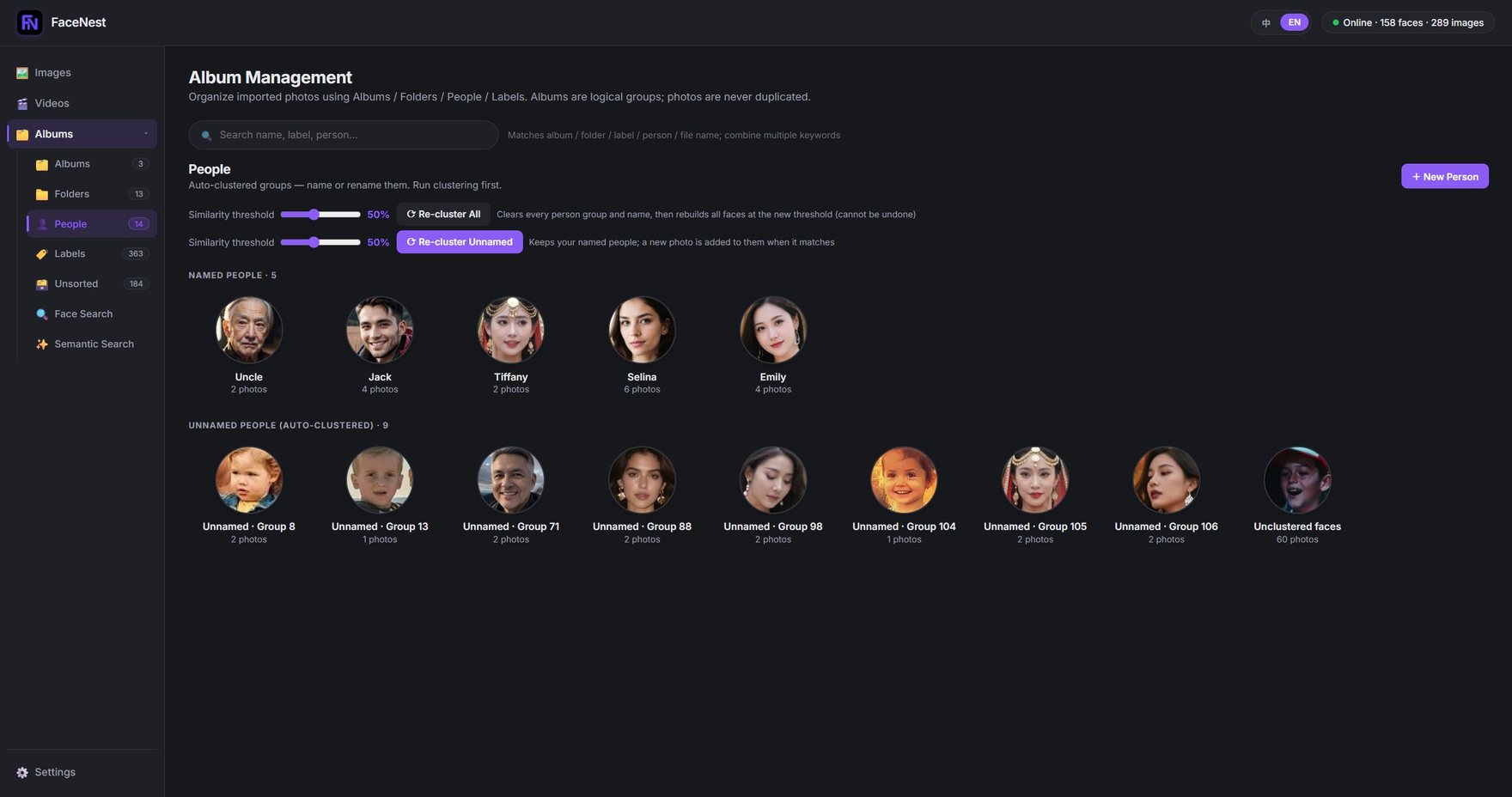
① Face detection & clustering
Import once — the same person is found for you
FaceNest scans the whole library and clusters every face into a "person". You can name the clusters, and from then on you browse photos by person — no manual tagging, no digging through folders.
- Automatic clustering, re-runnable, with an adjustable similarity threshold
- Name people, or leave them as unnamed clusters
- Several people in one photo are filed under each of their clusters
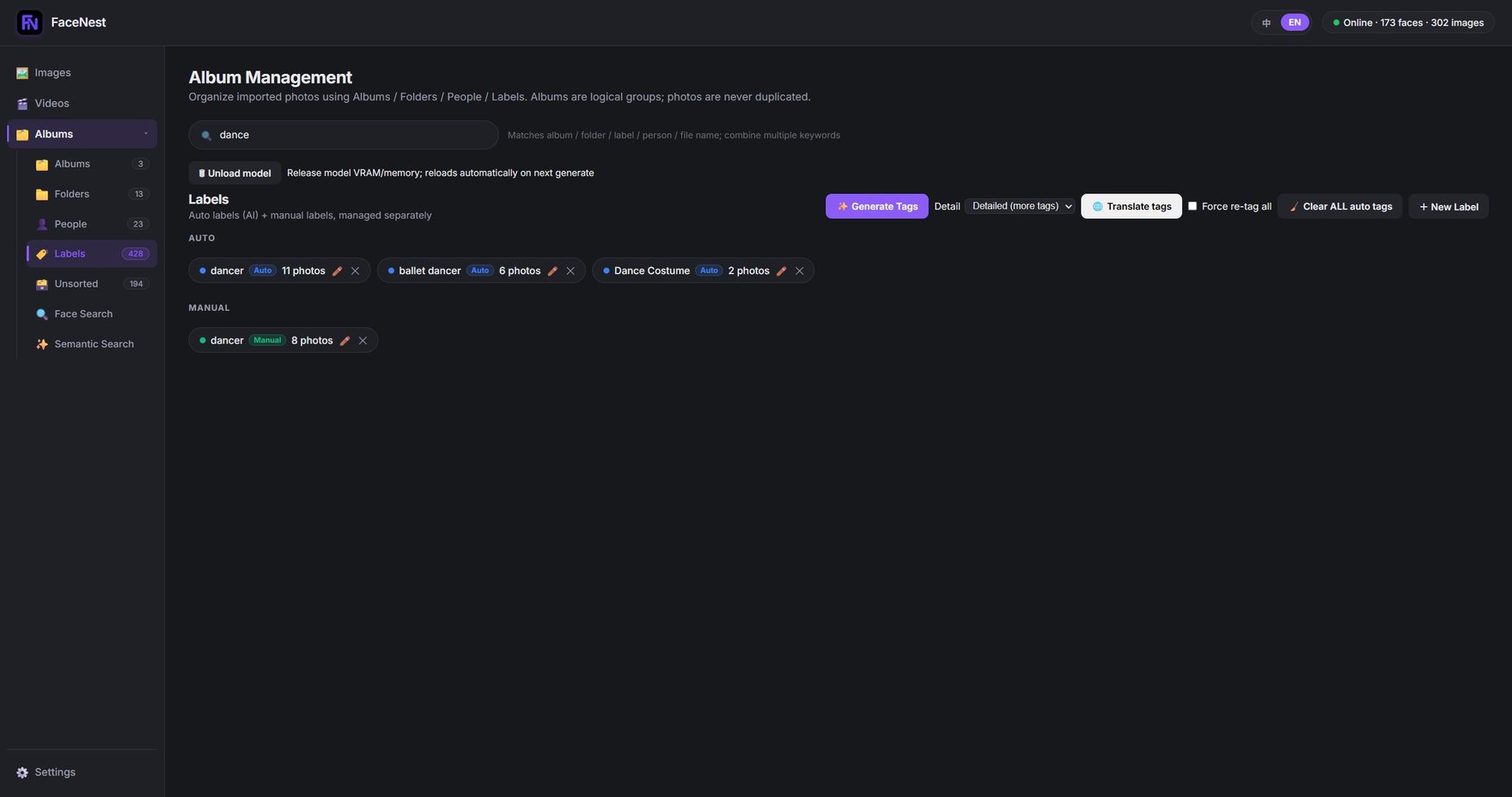
② Automatic tagging
Your photos tag themselves
Tagging runs on a lightweight, high-accuracy vision model and recognises scenes and objects ("lion", "sand", "bird", "snow"), then totals them by frequency. Tagging runs in chunks and each chunk is written to the database as soon as it finishes, so you can cancel halfway without losing the work already done.
- Scene and object tags, generated automatically
- Sorted by frequency, so the tags you use most are right there
- Progress is visible, cancellable, and completed work is saved immediately
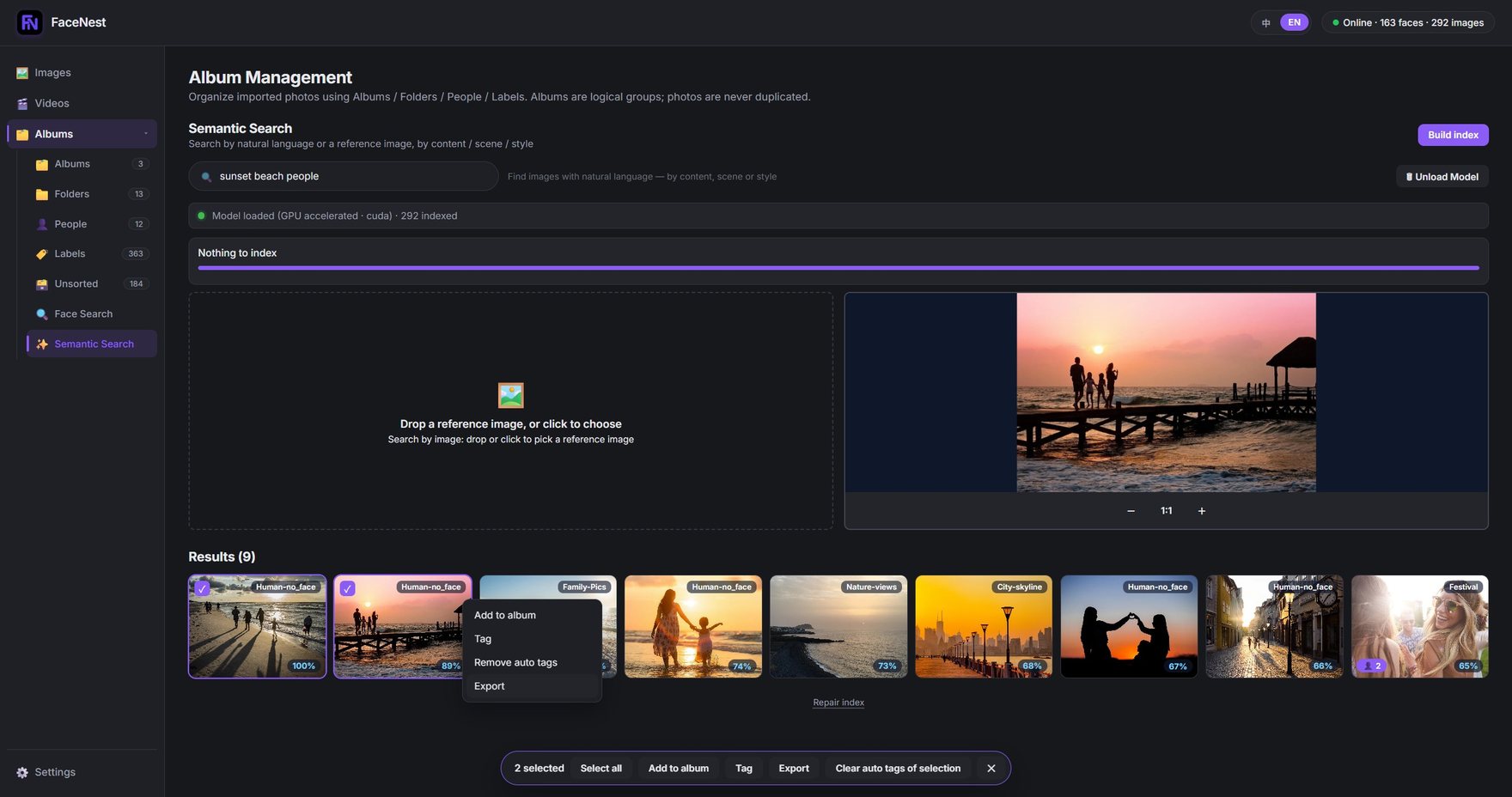
③ Semantic search (natural language)
Type a sentence, find the photo
Semantic search uses a state-of-the-art image-and-text model to index your library, which means you can look for photos by describing them instead of remembering file names. Building the index the first time takes a while and shows a progress bar; after that, searching is instant.
- Describe content, scene or style in plain language
- First index build is the slow part — it shows progress, and face and tag search keep working meanwhile
- 20 searches on the free tier, unlimited on a subscription
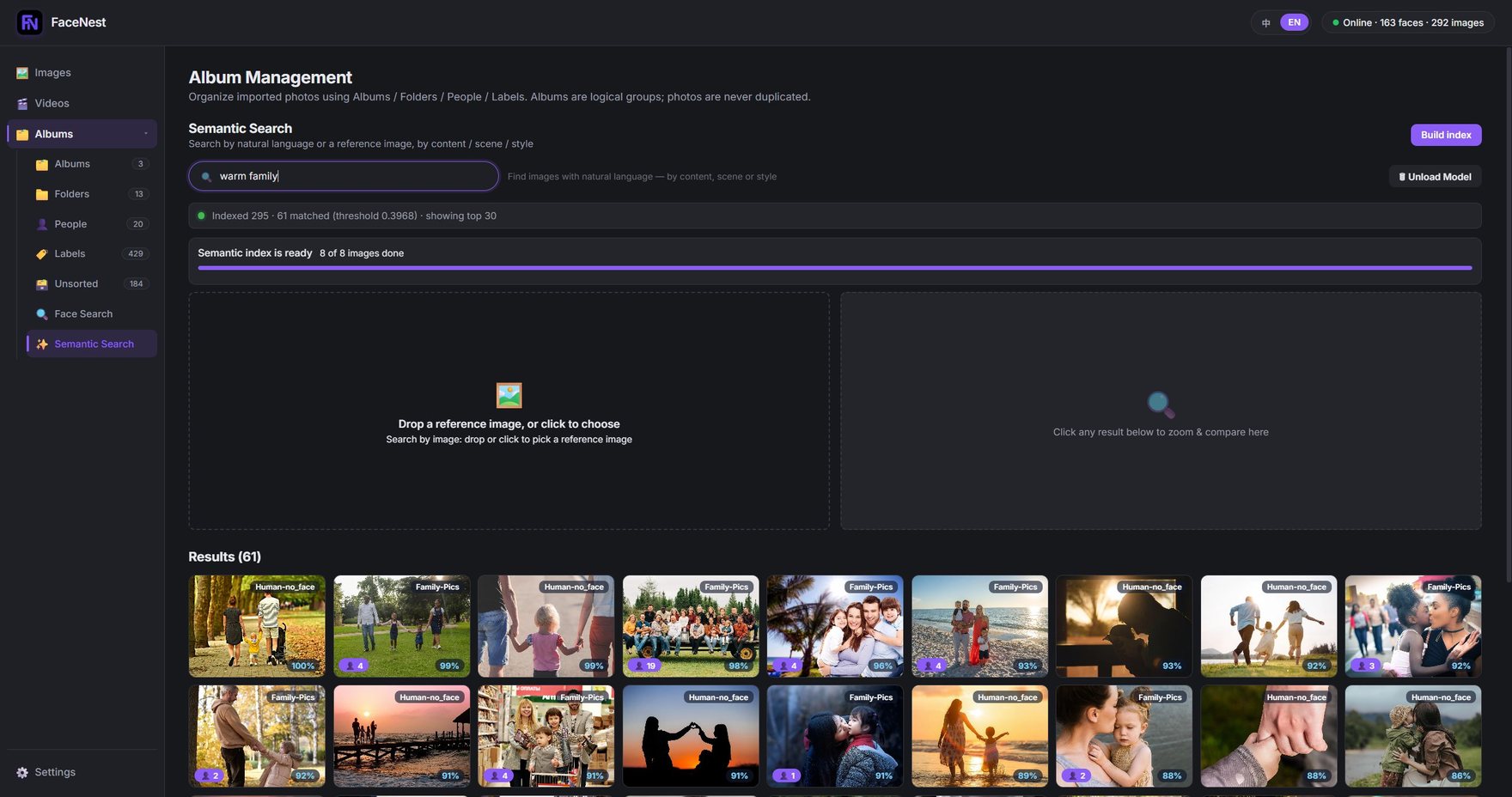
warm family matched 61 of 290+ indexed photos.④ Search by image
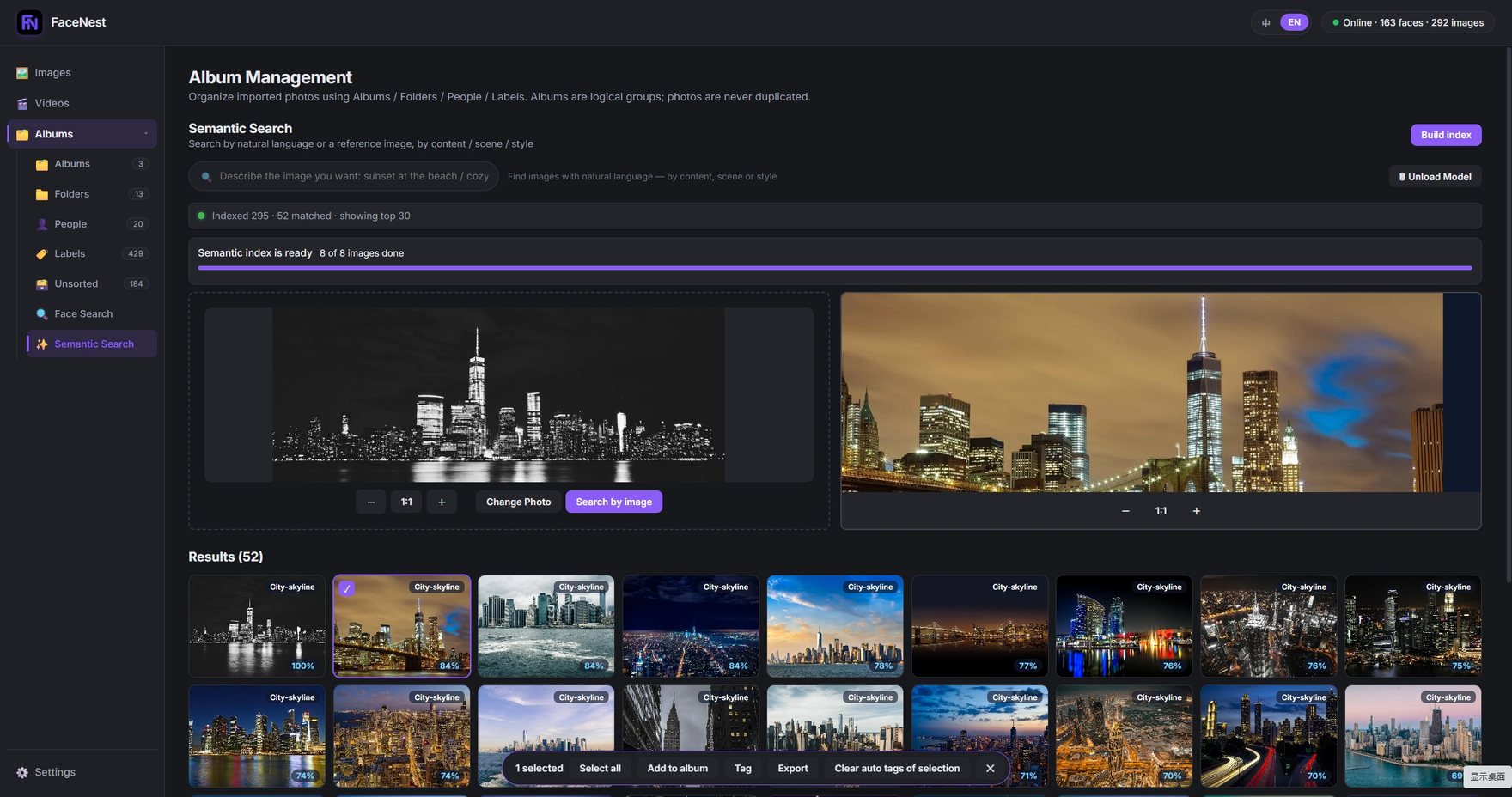
Give it a reference photo, find similar ones
No good words for it? Drag an image in instead. FaceNest finds photos that are similar in content, scene and style, and shows a similarity percentage you can filter by.
- Drop in or pick a reference image
- Sorted by similarity, with an adjustable threshold
- Export the whole result set in one go
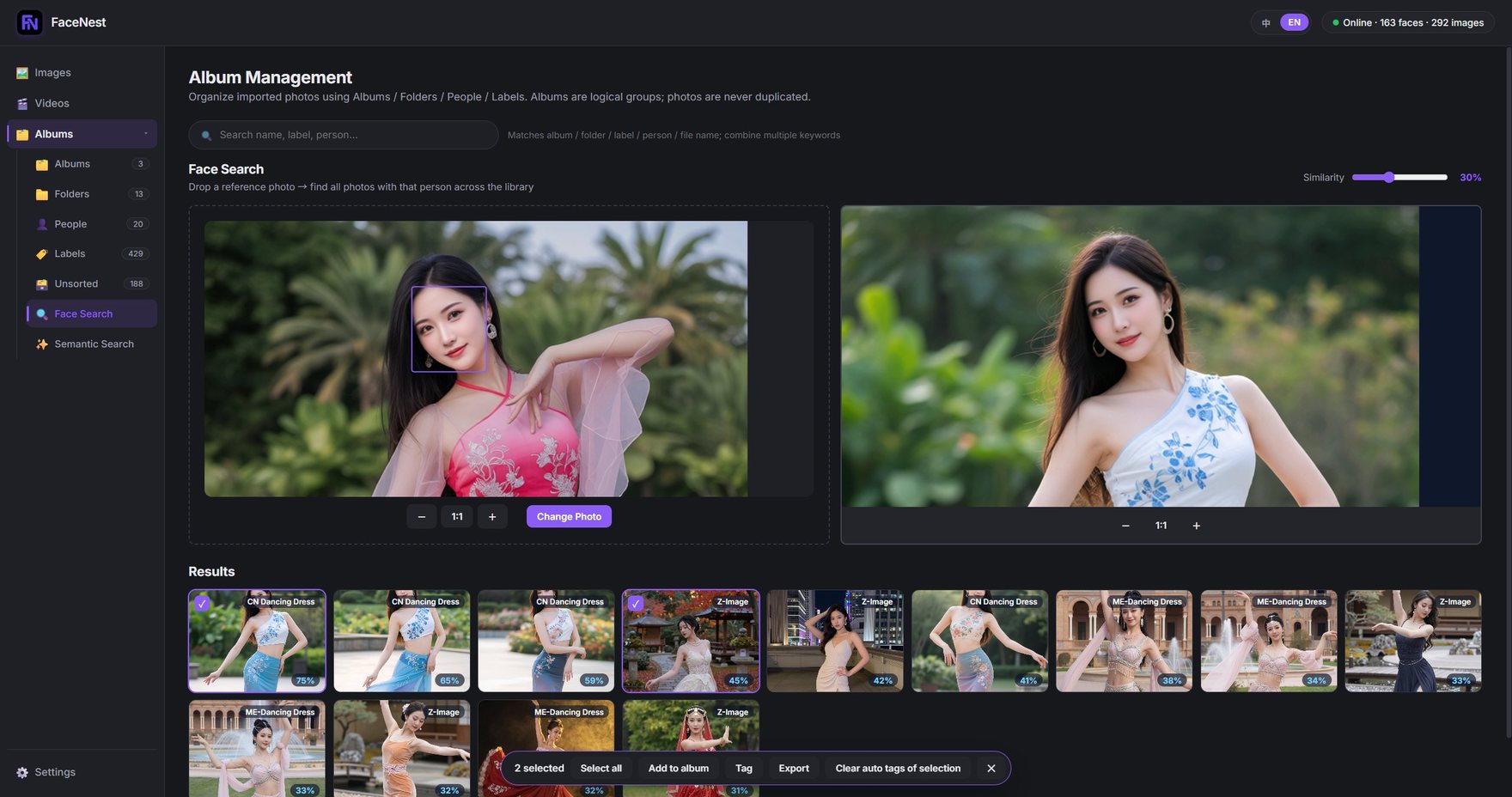
⑤ Find a person across your library
One face in, every shot of that person out
This is face similarity matching: hand it one reference face and it lists every photo of that person in the library, with a similarity score for each. It is the fast way to pull all of someone's footage out of a large media library.
- The reference can be any file on your machine
- Results sorted by similarity, with an adjustable threshold
- Can group results by their original folder, which makes exporting a set easy
⑥ Albums & folders
Browse the structure you already have
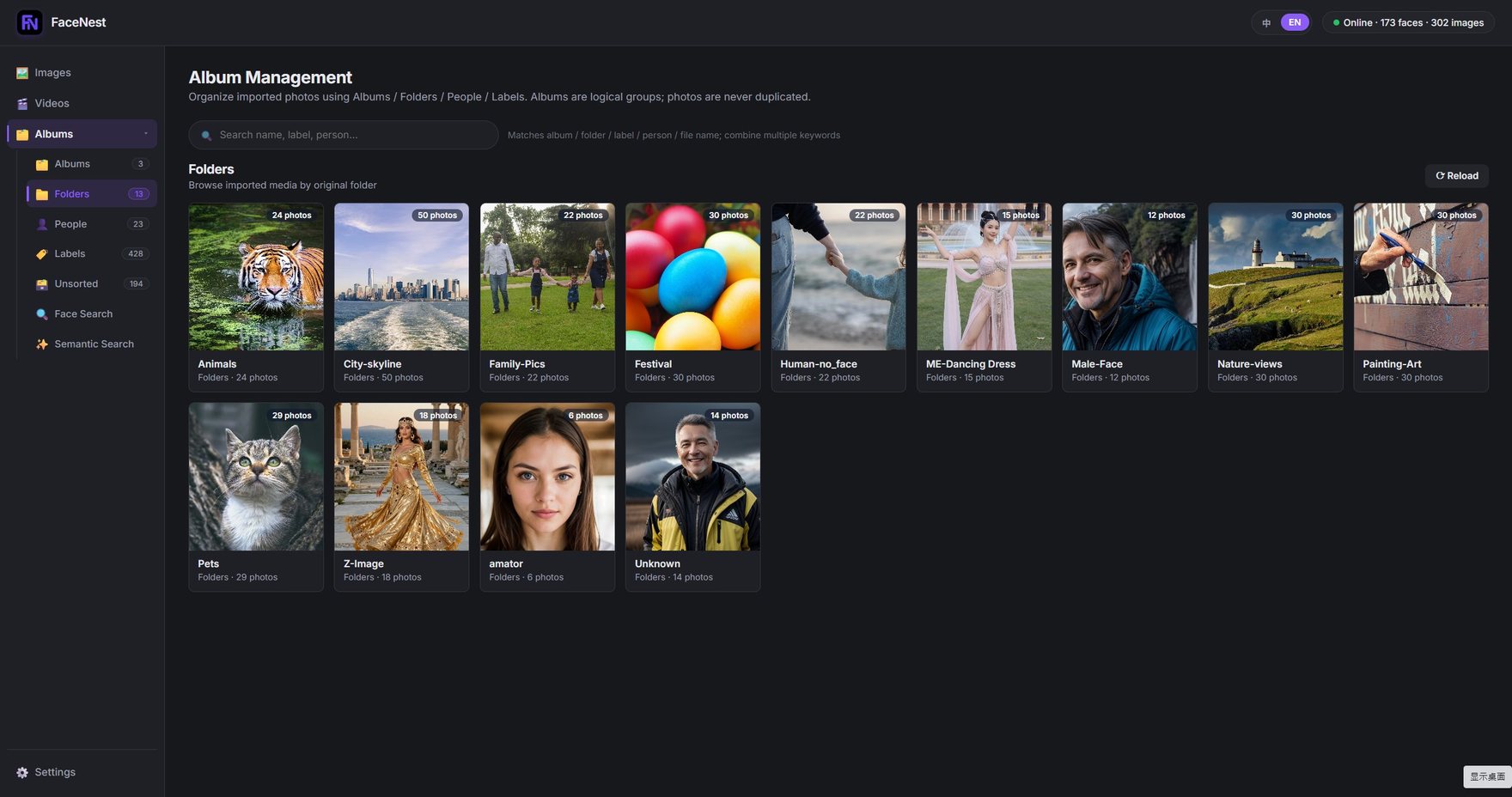
"Albums" and "Folders" in FaceNest are logical groupings — photos are never copied or moved. Whatever your directory tree looks like, that is what you see here.
- Albums, folders, people and labels — four views that stay out of each other's way
- Photos are never copied or relocated
- The "Unsorted" view surfaces the shots you have not filed yet
⑦ Video face matching
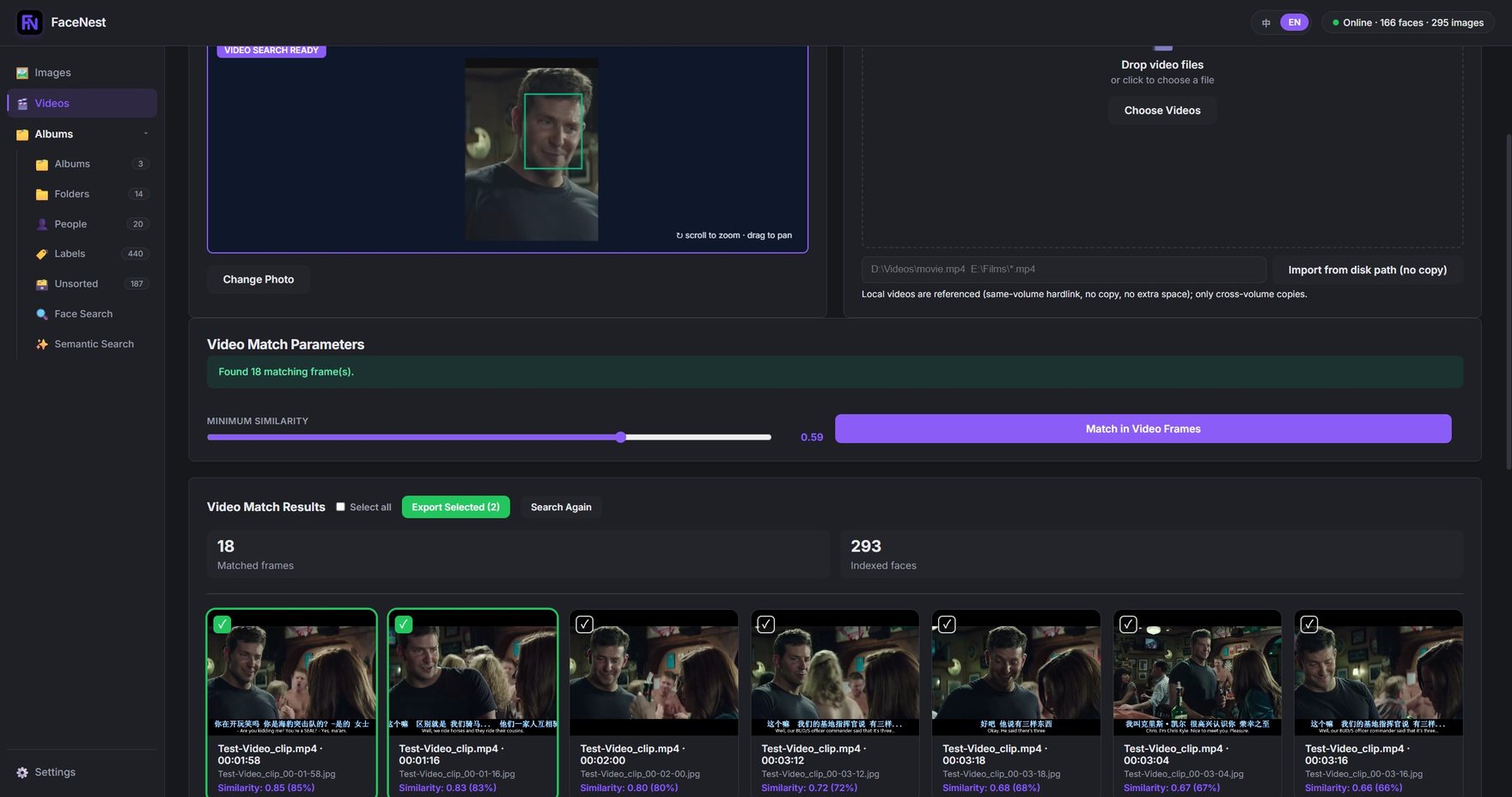
Videos are searchable by person too
Videos are sampled into frames automatically, and face detection runs on those frames. The sampling interval is configurable and defaults to one frame every 2 seconds. Extracted frames are written to the folder you choose, named original-video-name_HH-MM-SS.jpg so you can trace a frame back to the moment in the video.
- Automatic frame extraction plus face detection on each frame
- One frame every 2 seconds by default; interval is configurable
- Frames named "video_HH-MM-SS" so you can find the timestamp again
⑧ Export & library management
Select and export — originals untouched
Export works the same way everywhere: tick the shots you want, then use the context menu or the action bar at the bottom. It only ever writes copies into your target folder — your original photos and videos are never modified. The library page additionally flags the shots worth a second look — blurry or duplicated — right on the grid.
- Export from any result set: search, person, tag or album
- Context menu on a thumbnail, or the selection bar for bulk actions
- Blur and duplicate detection, flagged directly on the grid
- Deleting removes only FaceNest's own thumbnails and index rows — never your originals
Hardware acceleration
It picks the fastest backend for you
Automatic runtime selection
It picks the fastest backend available: CUDA on an NVIDIA card, DirectML on other Windows GPUs, CoreML / MPS on Apple Silicon, and CPU when there is no GPU at all. The chosen backend is shown on the settings page.
GPU when you have one
The free tier is not restricted either. With an NVIDIA card, CUDA is enabled automatically and it is roughly an order of magnitude faster (measured 17.8x).
Power-saving mode
Want a quiet laptop while you work? Power-saving mode pins tagging to the integrated GPU so the discrete GPU stays free for everything else.
On speed: We do not promise specific timings — hardware varies far too much. What we can give you is the relative gap: on the same machine, GPU is roughly an order of magnitude faster than CPU.
Language & portability
Bilingual, and portable
English / 中文, one click
Switch the interface language on the settings page. It applies immediately — no restart.
Unzip and run, nothing in the registry
Unzip it anywhere (paths may contain non-ASCII characters) and run it. No Python, no admin rights.
Seen enough? Try it
The free tier includes the full face, tag and album search — no account required.